toolbox-for-olx-privacy

Toolbox for OLX
A Chrome extension that makes OLX easier on the eyes and keeps an eye on the prices you care about: a soft dark mode, a large photo gallery, a price history for the ads in your favourites, and a cleaner view without ad banners.
Independent project, not affiliated with OLX. · Privacy policy
What it does
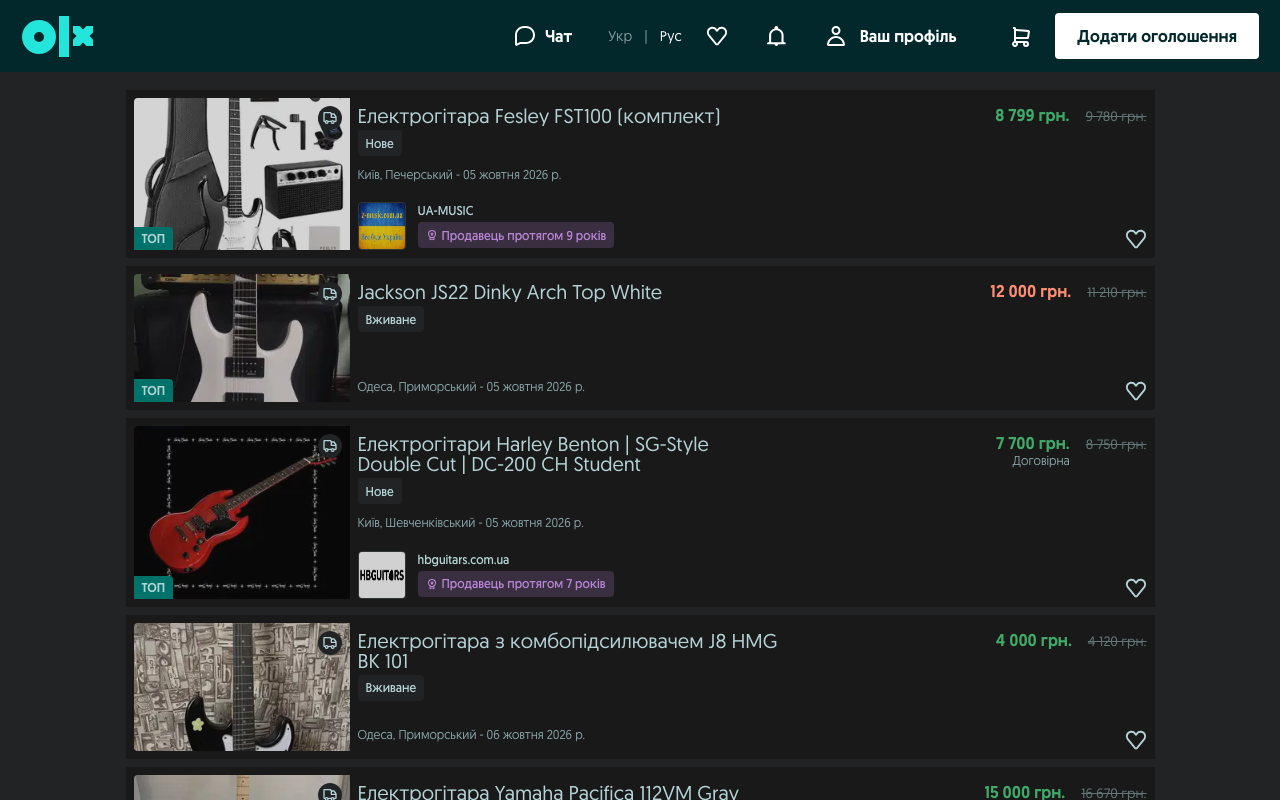
Dark mode
- A soft dark theme for OLX pages. Photos keep their true colours.
- Black level – from soft grey to pure black. Photo brightness – dim photos if they feel too bright. Theme color – tint the site’s accents, header and background.
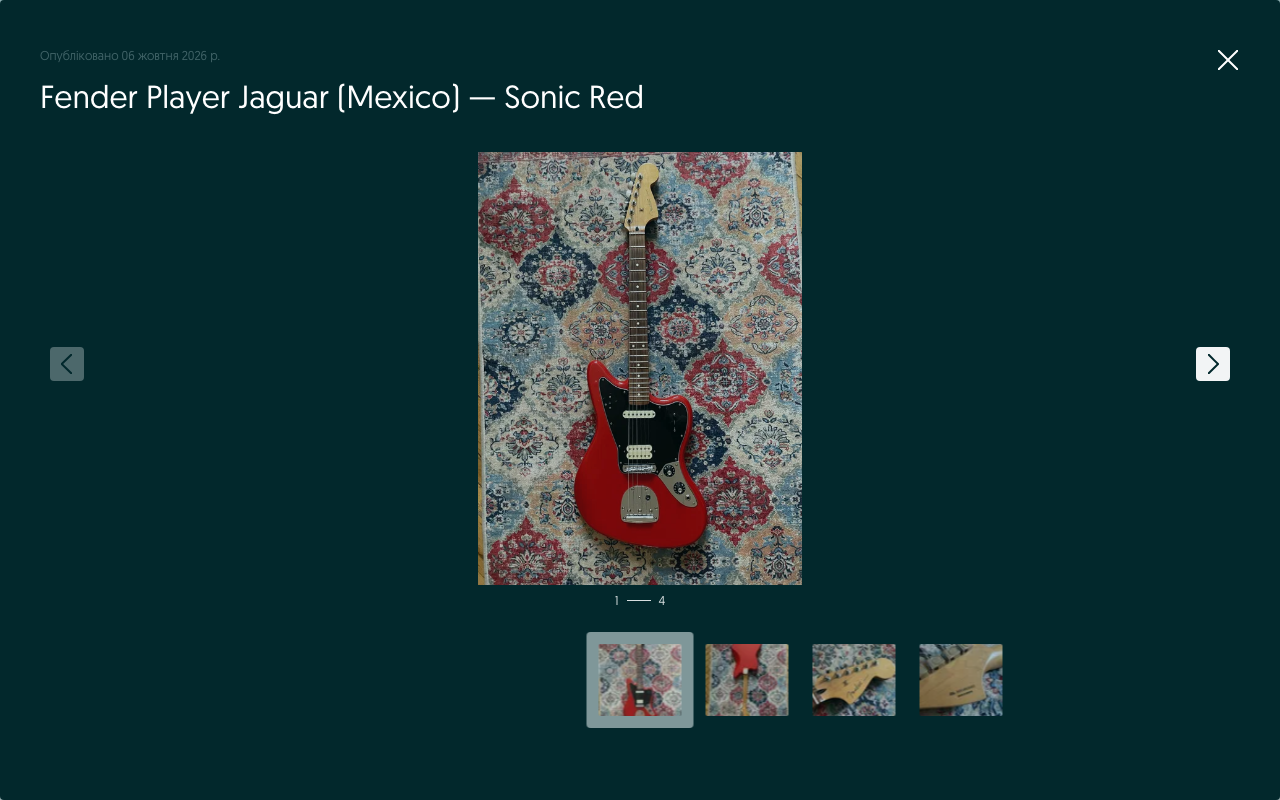
Large gallery
- Ad photos open almost full-screen, with thumbnails. Flip through them with the ← and → keys.
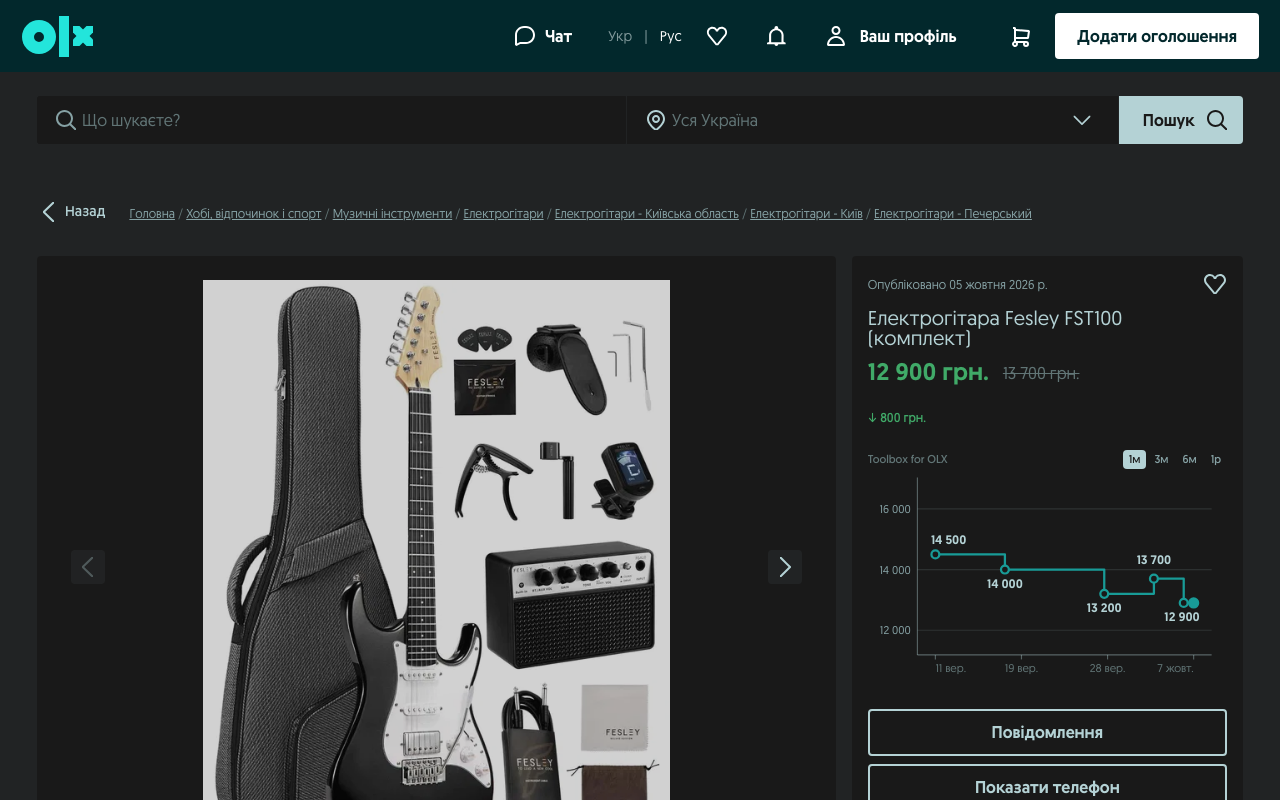
Price history (for ads you add to favourites)
- A price chart appears on the ad page.
- In lists (favourites, search results) the current price turns green if it dropped and red if it rose, with the first recorded price struck through next to it. Hover it for the details.
- Price-change alerts in the extension popup and as a red number on the toolbar icon.
Cleaner view
- Hide ad banners and “TOP” ads, and choose how many ads are shown per row.
Quick start
- Open the settings: click the extension’s icon in the toolbar (if you don’t see it, click the puzzle-piece icon and pin Toolbox for OLX).
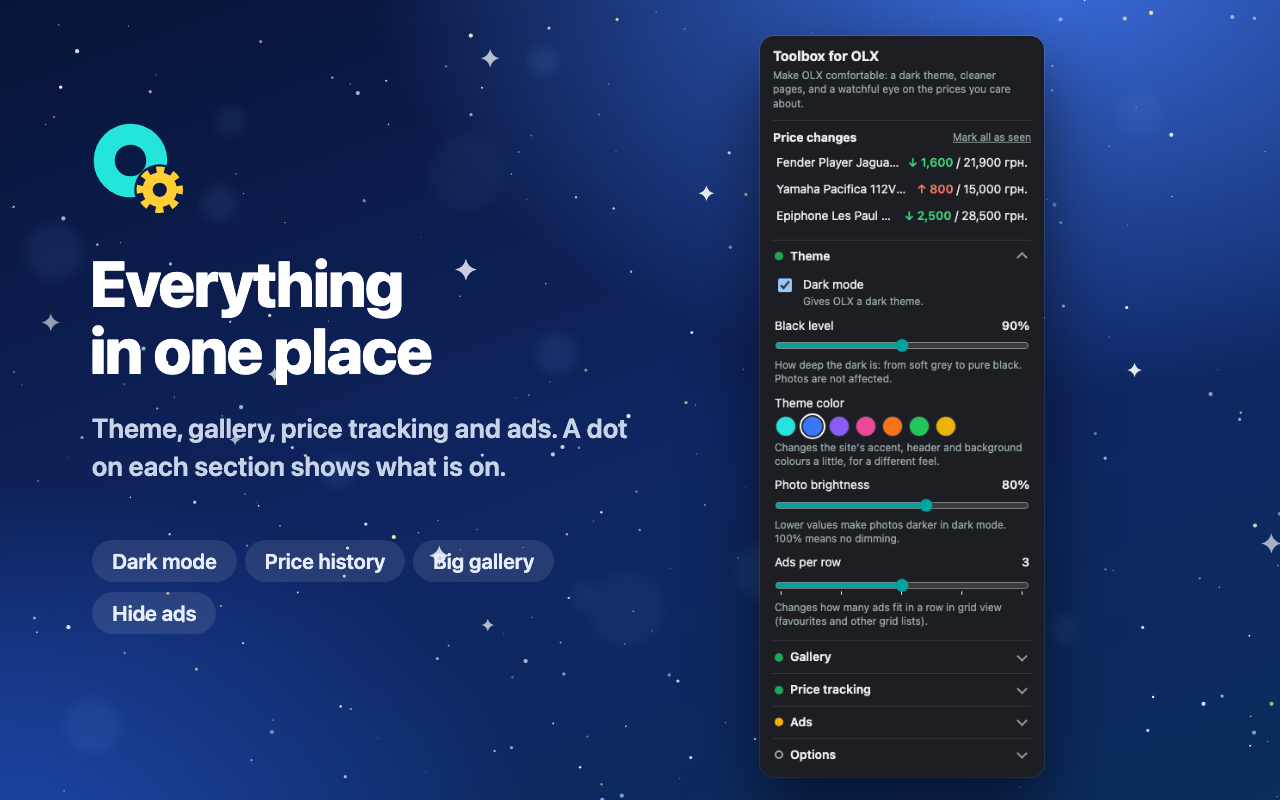
- Pick your look: in Theme turn dark mode on or off and move the Black level and Photo brightness sliders. Choose a Theme color if you like.
- Track prices: open an OLX ad and add it to your favourites (the heart). From then on its price is saved and the chart appears on the ad page. With Track all favourites automatically on, every ad in your favourites is tracked, even the ones you haven’t opened.
- See changes: a red number on the toolbar icon and the Price changes list in the popup show ads whose price changed since you last looked. Click an item to open the ad.
Settings explained
| Section | Setting | What it does |
|---|---|---|
| Theme | Dark mode | Turns the dark theme on or off. |
| Black level | How deep the dark is. Photos are not affected. | |
| Theme color | Changes the site’s accent, header and background colours a little. | |
| Photo brightness | 100% means no dimming; lower values make photos darker. | |
| Ads per row | How many ads fit in a row in grid views (favourites and similar lists). | |
| Gallery | Large gallery images | Shows photos almost full-screen. |
| Arrow keys in gallery | Flip through photos with ← and →. | |
| Price tracking | Track prices of favourite ads | Master switch for everything below. |
| Check prices every | 6 hours to 7 days. Prices are also checked when you come back to an OLX tab after the interval has passed. | |
| Track all favourites automatically | Start tracking every ad in your favourites. | |
| Show price changes on cards | The coloured price and the struck-through first price in lists. | |
| Notify about price changes | Alerts in the popup and on the icon; choose all changes, only drops or only rises. | |
| Ads | Hide ads and banners / Hide “TOP” ads | Removes banner slots and promoted ads from lists. Best effort: OLX changes its pages often. |
| Options | Language | Ukrainian, English, Polish, Romanian, Bulgarian or Portuguese. |
| Backup and restore… | Save your settings and price history to a file, or restore them on another computer. |
The small dot in front of each section title shows what is on: empty – nothing, yellow – some, green – everything.
Good to know
- Where it works: olx.ua, olx.pl, olx.bg, olx.ro, olx.pt, olx.kz, olx.uz, olx.com.br and other OLX sites. It is tested mostly on olx.ua; on other sites the dark mode works and the gallery and price features may vary with the page layout.
- Price tracking only covers ads in your favourites. The sync button in the Price tracking section reads your favourites page now instead of waiting for the interval. You need to be logged in to OLX in the same browser.
- A page looks wrong? Turn off Hide ads and banners (and Hide “TOP” ads) first; they are the most likely cause. You can also switch dark mode off at any time.
- Your data stays with you. Settings and price history are stored only in your browser. Nothing is sent anywhere, and removing the extension deletes it. Price history older than a year is dropped automatically, and Clear history removes it all. See the privacy policy.
- Moving to another computer? Use Backup and restore… to save the data to a file and restore it there.
Contact
Questions, bugs or ideas: anleo.dev@proton.me
“OLX” is a trademark of its respective owner. Toolbox for OLX is not affiliated with, endorsed by, or sponsored by OLX.